// features
Everything Kompil Code does, with the screens.
Each section shows a real screenshot of the desktop app (version 1.5, in Portuguese) and what you can do there. Shortcuts are the Windows ones.
01 // Code together
Live editing in the same file
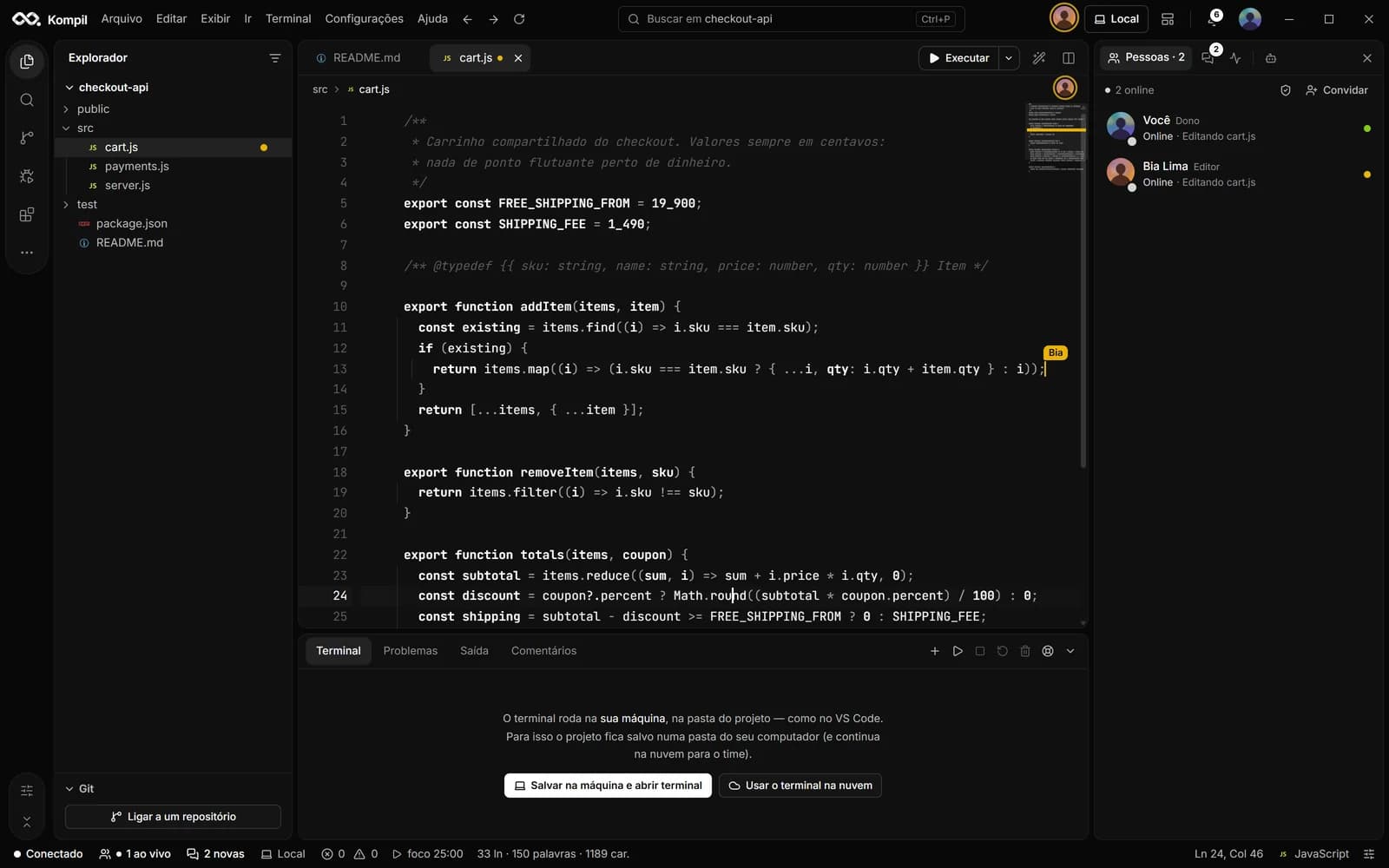
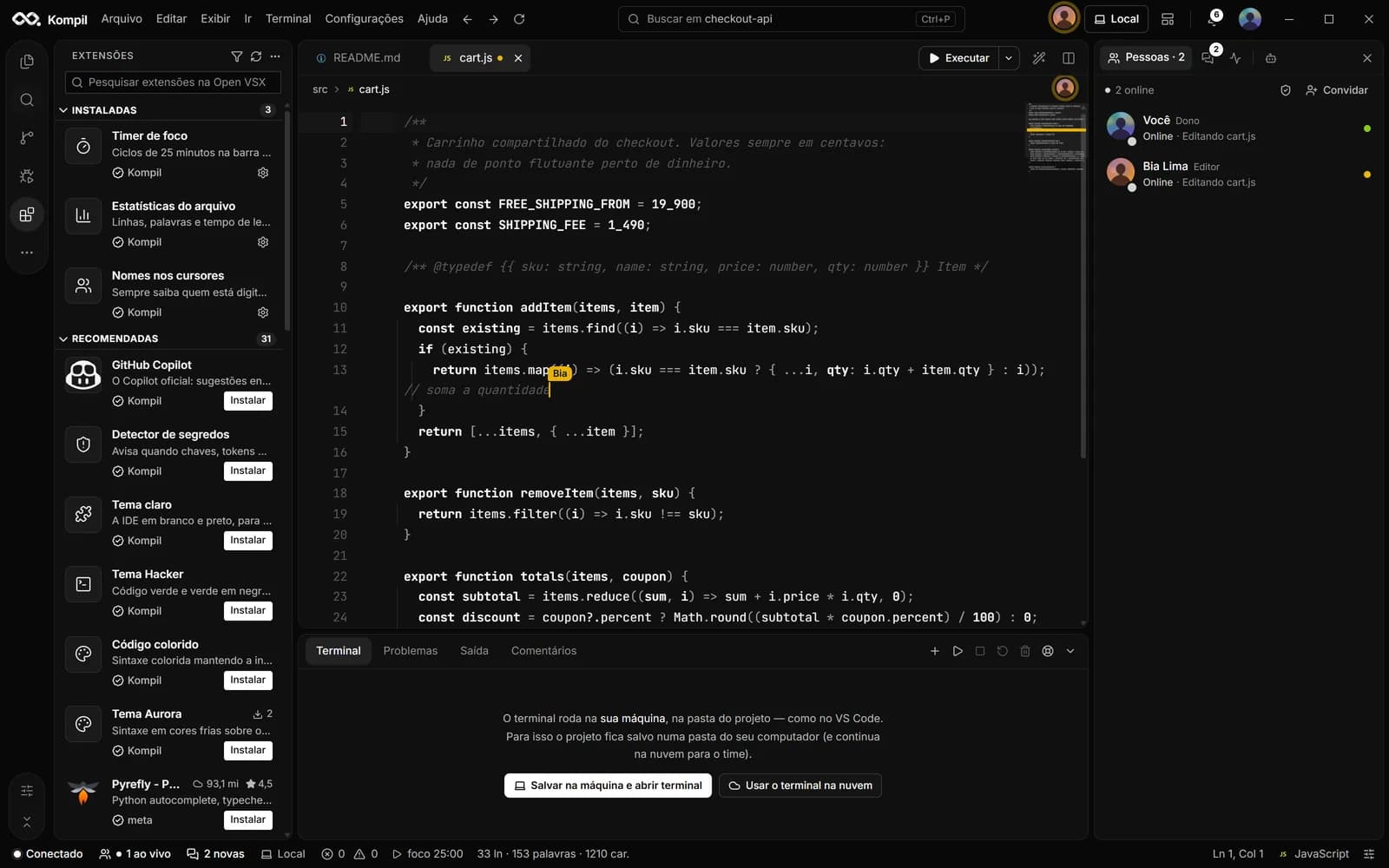
Several people edit the same file at the same time and every keystroke shows up for everyone right away. Each teammate's cursor carries their name; avatars sit at the top of the file and in the People panel, with the file each person is in.
- Tested with 12 people in the same file
- Minimap with everyone's position
- Suggestion mode to review before applying
- Project roles: owner, editor, viewer and more







Who is in the file right now · 7
02 // Review
Line comments
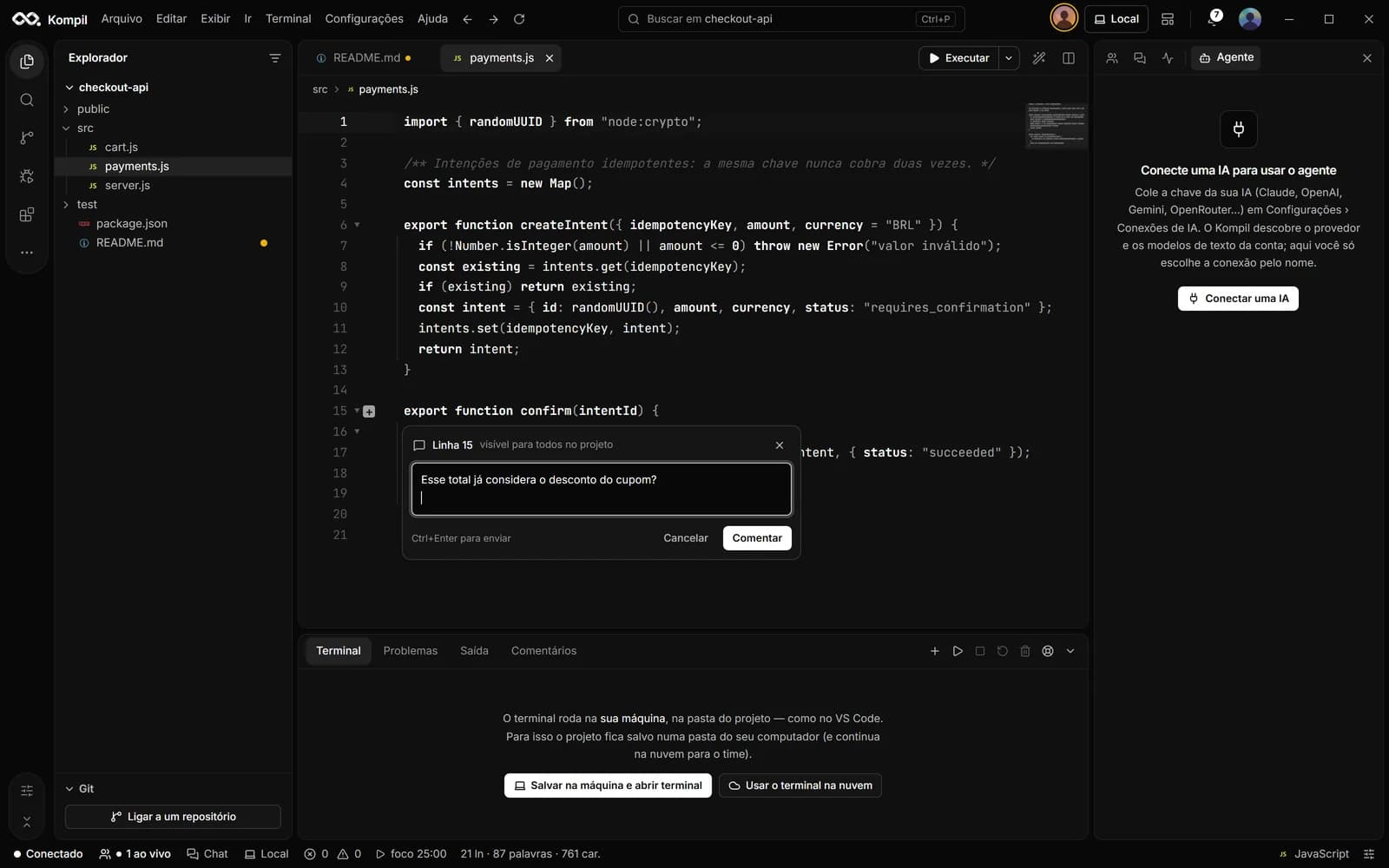
The “+” in the gutter opens a conversation attached to that line, in a floating card that doesn't push the code around. Reply, resolve and reopen; the Comments tab gathers them all.
- Visible to the whole project
- Reply, resolve and reopen
- Ctrl+Enter to send
03 // Chat
Project chat linked to the code
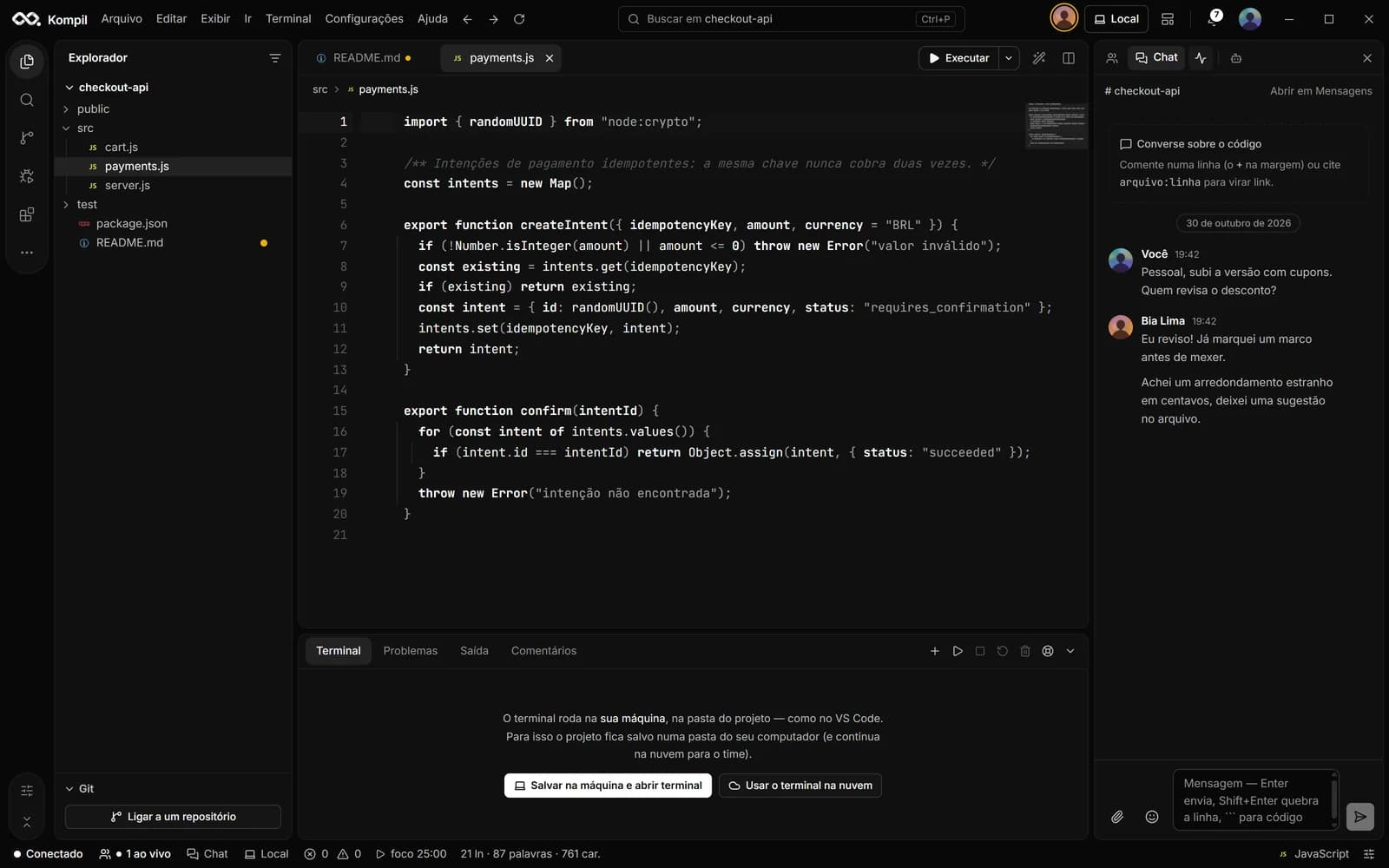
The team chat sits on the right side, next to the editor. Send a snippet from Edit › Send selection to the team chat, and references like src/app.js:12 become links to the line.
- Real-time messages with photos
- “In the code now”: what was commented in the files
- System notifications and badges
04 // History
Activity, milestones and replay
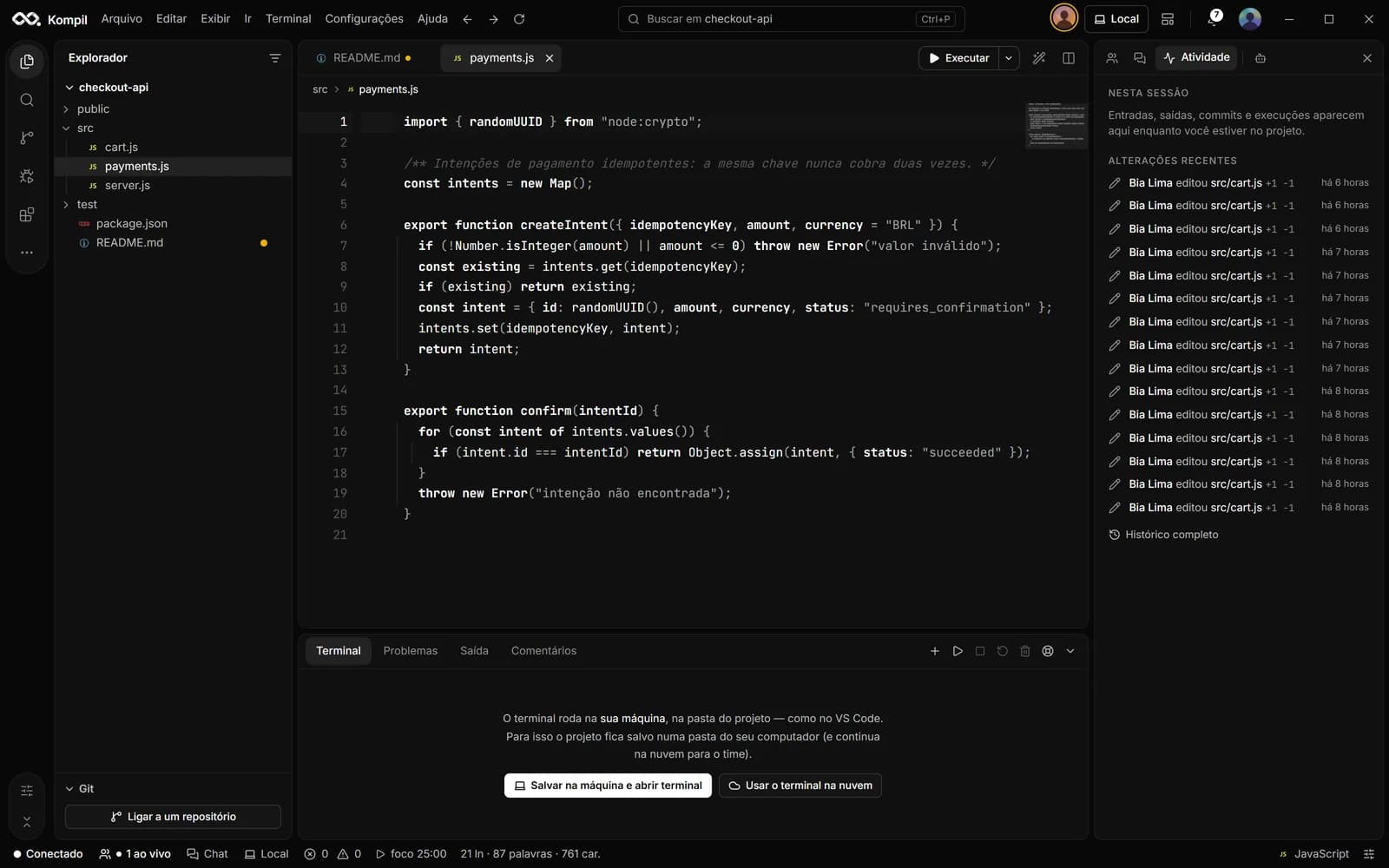
The Activity tab shows who is here, what happened in the session and each person's latest changes. History keeps track of who changed what without needing a commit, with project milestones and session replay.
- Who changed each file and when
- Project milestones
- Replay of coding sessions
05 // AI
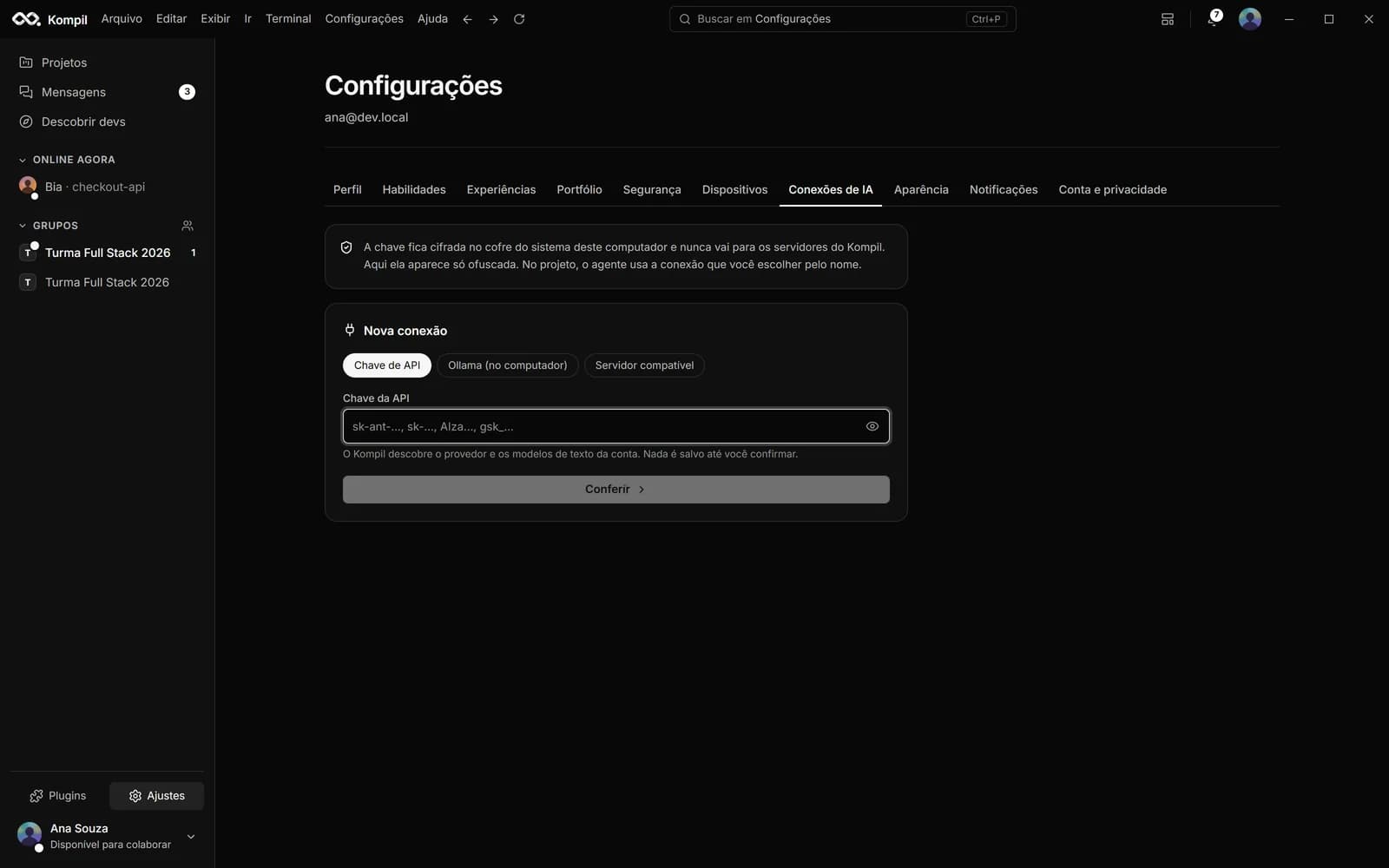
A coding agent with your own key
Connect your Anthropic, OpenAI, Google Gemini, OpenRouter, Groq, DeepSeek, Mistral or xAI key, use Ollama on your own computer or any service compatible with the OpenAI API. The agent reads the project, creates and edits files, runs commands, commits and pushes, and can deploy through the Vercel, Netlify or Firebase CLI. Every action that changes something shows the diff or the command and asks for permission.
CtrlShiftA
- Modes: ask permission, accept edits, allow everything and plan only
- Allow, always in this conversation, deny or deny with an explanation
- Secret files (.env, keys) are never read by the agent
- Monthly limit per AI account, with a warning at 80%
06 // Navigation
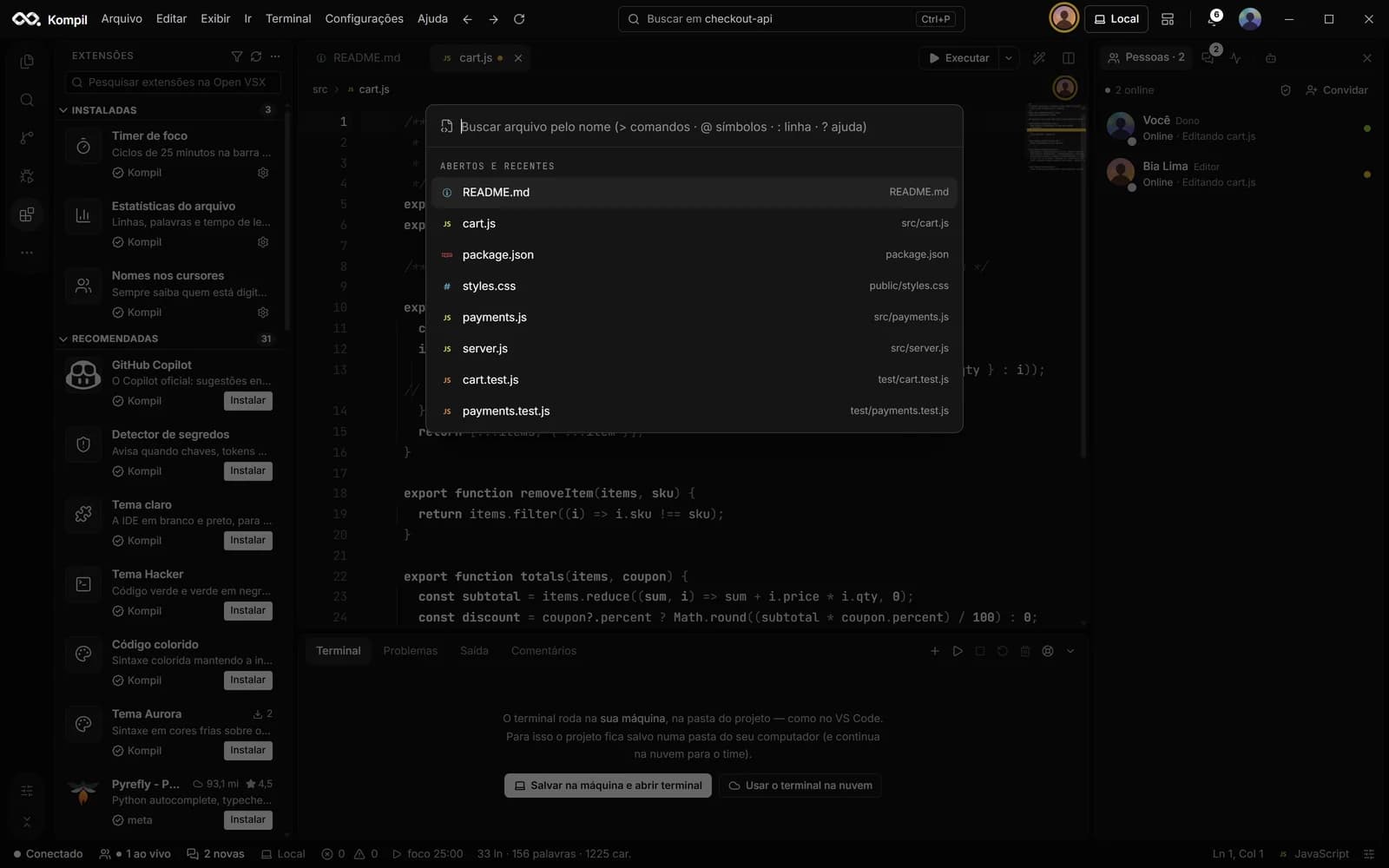
Search, command palette and menus like VS Code
Files, projects and commands in one place. The File, Edit, View, Go, Terminal, Settings and Help menus follow VS Code's, with the same shortcuts.
CtrlP
- Ctrl+P files and projects · Ctrl+Shift+P commands
- Ctrl+Shift+F text across all files
- Ctrl+Shift+O symbols · Ctrl+G line · Ctrl+\ split editor
- Emmet, closing and renaming tags, snippets
07 // Run
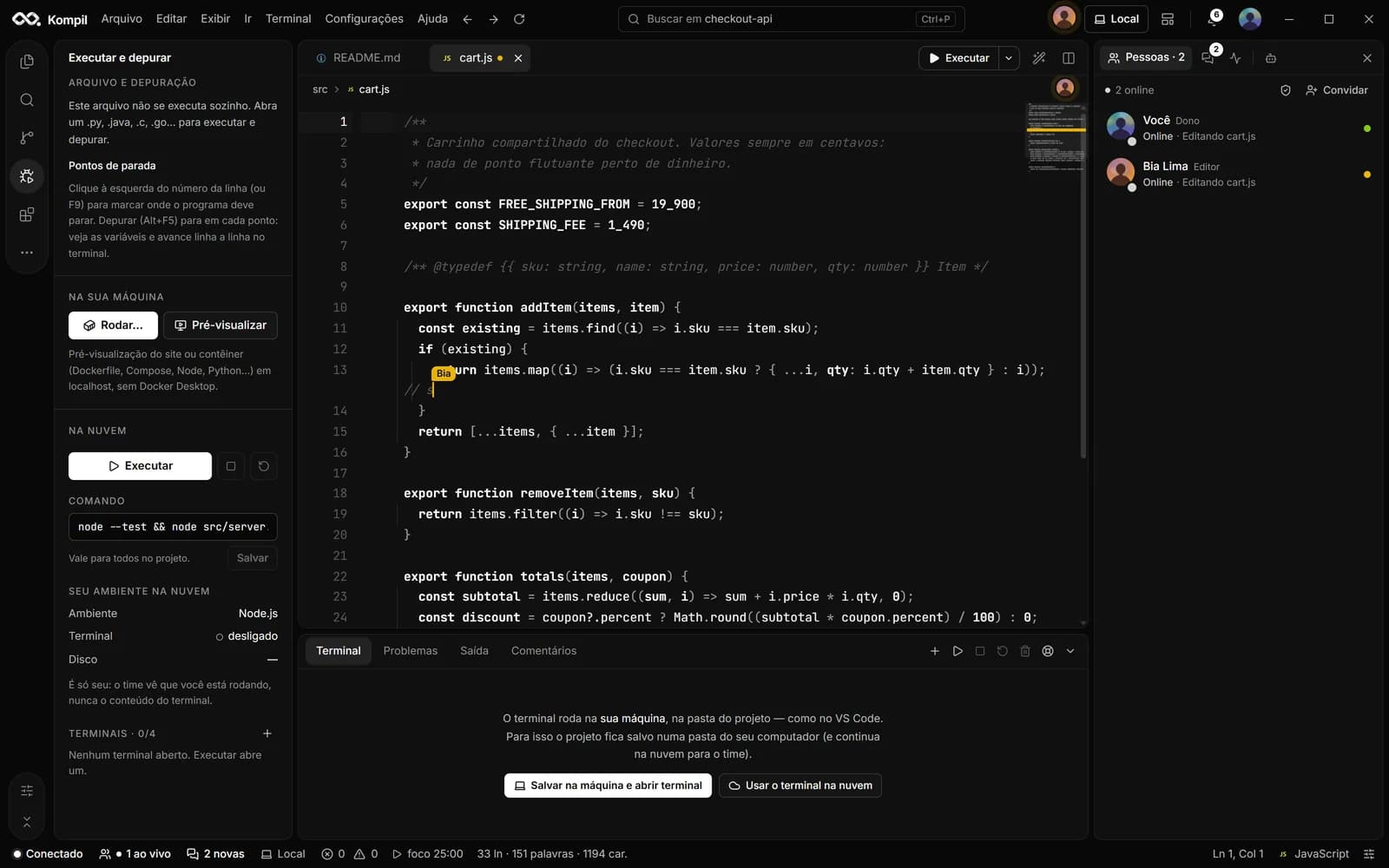
Run, debug and work on your machine
Run (F5) starts the project; breakpoints sit next to the line number (F9). With Save to this computer, the project becomes a synced folder and the terminal is local, like VS Code's. On Windows, the Kompil Engine runs containers (Compose and Dockerfile) without Docker Desktop.
F5
- Local terminal: select to copy, right-click to paste
- Several projects running at once, each on its own port
- Cloud environment: Business and Enterprise plans
- Live Server: your site on localhost:5500, reloading on every change
- Multiple terminals, Problems and Output in the bottom panel
08 // Git
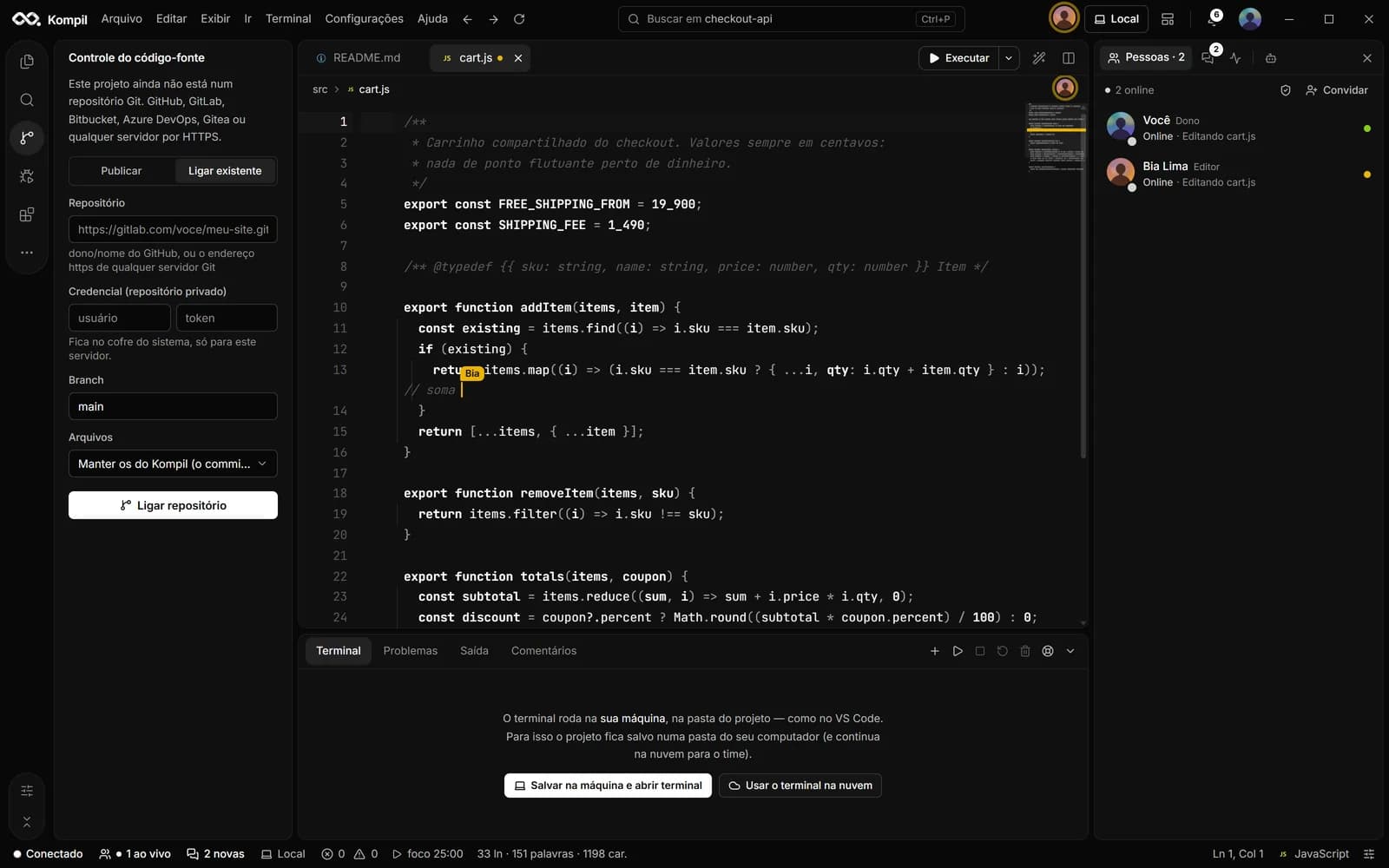
Git with any server
Publish the project to a new repository or link an existing one on GitHub, GitLab, Bitbucket, Azure DevOps, Gitea or any HTTPS server. Review changes with diff, stage only what goes into the commit, commit and push, pull, see the branch history and resolve conflicts.
- GitHub connected from the photo menu (device code)
- Credentials in the system vault, never in the page
- Import a GitHub repository as a project
09 // Extensions
Kompil and VS Code extensions
The Extensions screen follows VS Code's: installed, recommended and Open VSX search. The embedded VS Code engine runs the extensions; the Kompil store adds 34 official extensions, including Claude, GitHub Copilot, Live Server, Docker, Java, Python and themes.
- Import from VS Code, Cursor, VSCodium or Windsurf
- Themes and snippets converted to your account
10 // Appearance
Themes that paint the whole IDE
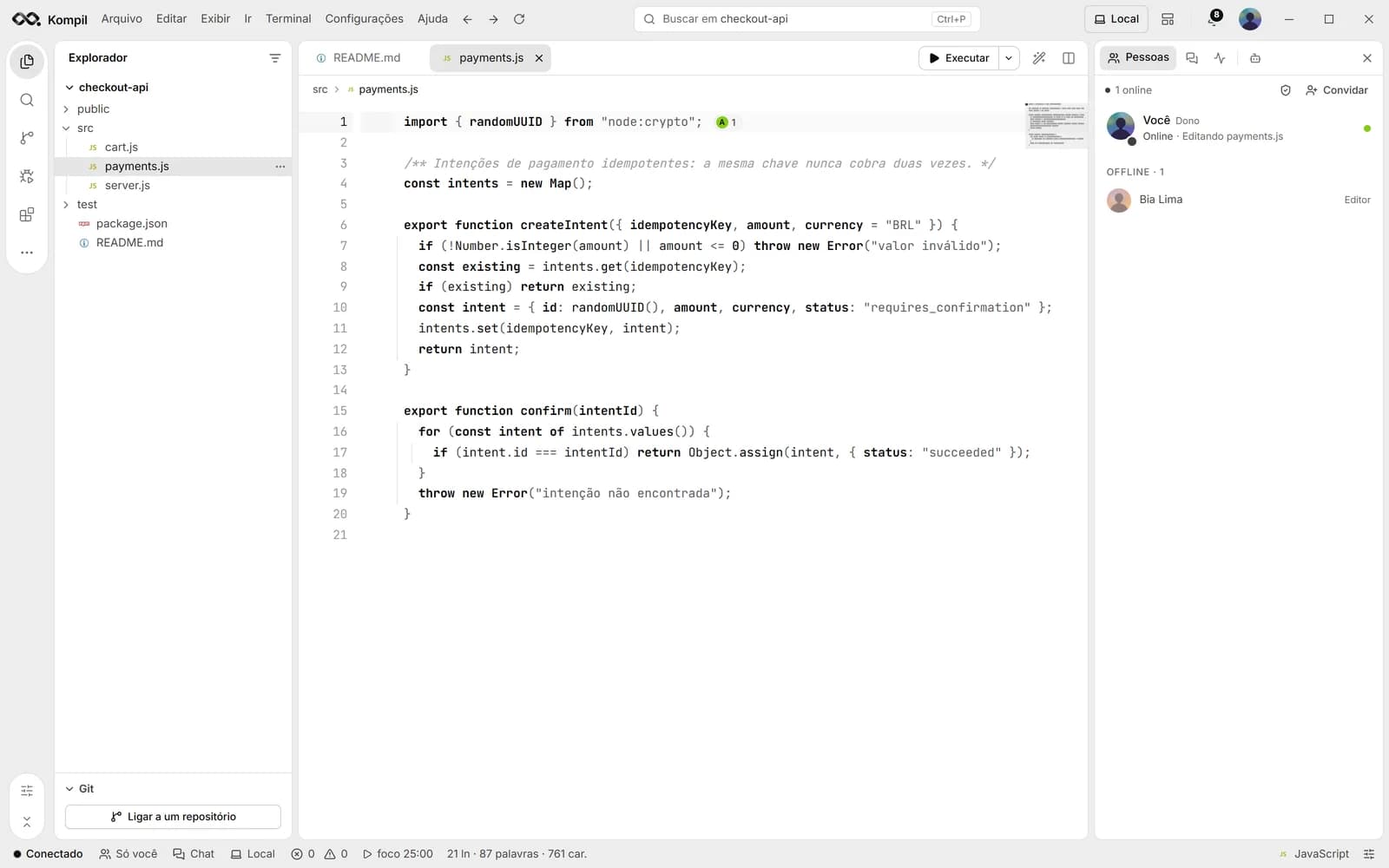
The default is dark, black and white. Store themes (Aurora, Hacker, Dracula, Nord, Light theme…) and those installed from the Extensions screen change the editor, the terminal, the panels and the VS Code engine views. Under Appearance, adjust the zoom, the editor and terminal font and the app icon color: the infinity in black or white.
- The Light theme is an extension
- Sidebar color and file icons
- Interface zoom and font size
11 // Security
Account security
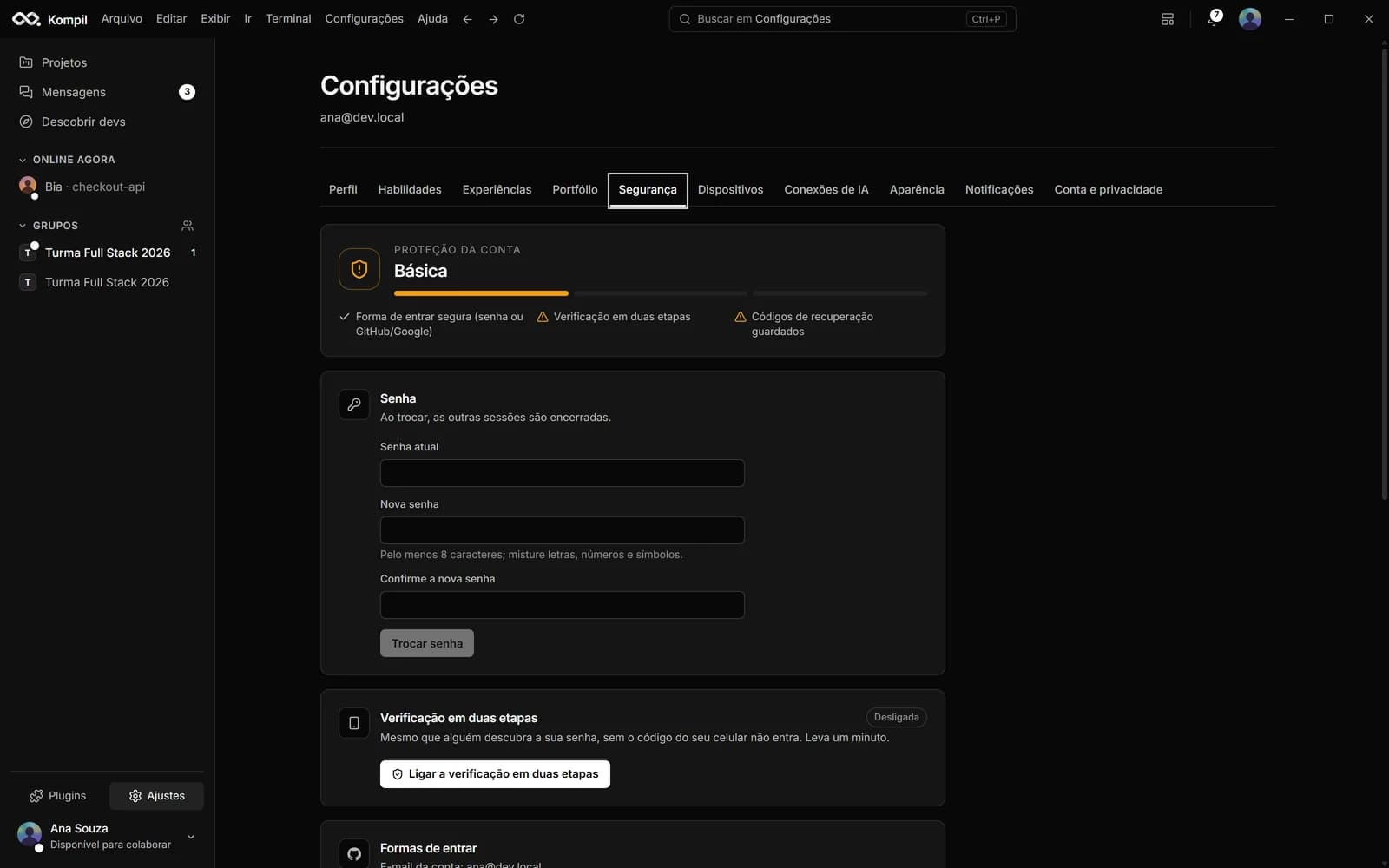
Two-step verification with an authenticator app and recovery codes, a password change that ends other sessions, sign out of every device and the account's recent activity. Five wrong passwords in a row pause access for 5 minutes, with longer lockouts after that.
- Messages and code stored encrypted
- Email confirmation by code and Forgot password
- Signed installer, with a published hash to check
// ai in kompil
The AIs you already use, inside the IDE.
Kompil Code doesn't lock you into one model. Use the official GitHub Copilot and Claude Code extensions, or connect any provider's key to the coding agent. If the API is compatible with OpenAI's, it works — for code and for text.
A coding agent with your own key
It reads the project, edits, runs commands and commits — asking permission at every step.
- OpenAIGPT models
- AnthropicClaude models
- Google GeminiGemini models
- xAIGrok models
- DeepSeekDeepSeek models
- MistralMistral models
- GroqOpen models in the cloud
- OpenRouterMany providers with one key
Official extensions
The same ones as in VS Code, running on the embedded engine.
- GitHub CopilotSuggestions as you type and Copilot Chat
- Claude CodeAnthropic's agent in the Claude panel
Models on your computer
With Ollama, the AI runs on your machine: your code never leaves it.
- OllamaLocal models
- LlamaBy Meta, through Ollama, Groq or OpenRouter
- QwenThrough Ollama or OpenRouter
- The key stays encrypted in your system vault, not on the server
- You see the diff or the command before every action
- Monthly limit per AI account, with a warning at 80%
// desktop × web
The web edits and chats. The app is the full Kompil.
| Feature | Desktop | Web |
|---|---|---|
| Real-time collaborative editor, presence and suggestion mode | ||
| Messages, groups and project chat | ||
| Terminal and running code | Cloud terminal only | |
| AI agent, Claude and GitHub Copilot | ||
| Git (commit, push, pull, import a repository) | ||
| History, milestones and replay | ||
| Extensions and themes | ||
| Save to your machine and work offline | ||
| Developer network (profile, discover, groups) |
// free account
Join the orbit.
Creating an account is free. Download the app for Windows or sign in on the web to edit and chat from anywhere.
- Your AI key stays yoursEncrypted in your system's vault, not on the server.
- Works offlineWith the project saved on your machine, everything syncs later.
- VS Code extensionsYour themes, snippets and extensions come with you.
- Updates itselfNew versions download in the background.
Windows 10 and 11 (64-bit) · macOS and Linux coming soon